1
Sign In
Use your authorized CRM account securely.
Import leads, assign Agents, monitor Team Leaders, call customers, follow up on WhatsApp and track every callback — from one fast workspace.
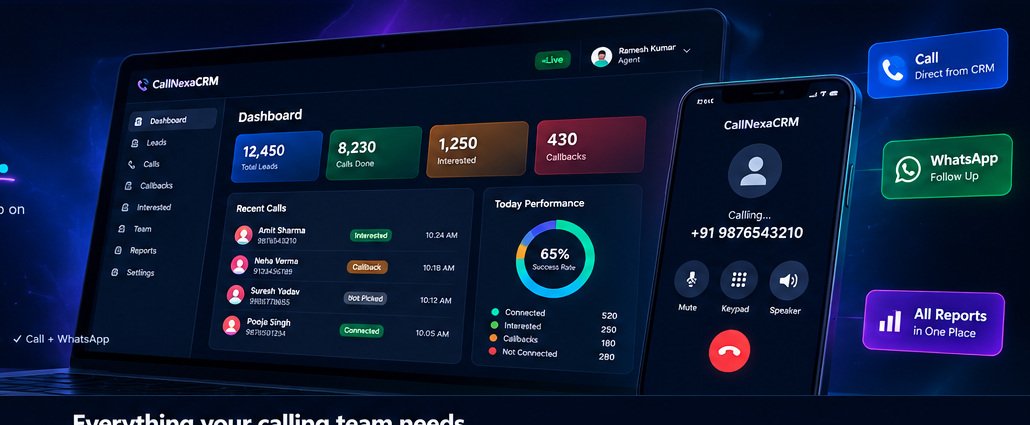
One fast CRM for lead management, calling, follow-up, teams and reports.
Start making calls and organizing your business in minutes.
Use your authorized CRM account securely.
Add Team Leaders and Agents.
Import Excel / CSV or add manually.
Call, save results and follow up.
Admin works on desktop or mobile. Agent and Team Leader get fast app-like mobile panels.
Create Team Leaders and Agents, import leads, set auto-allocation, view live tracking, attendance, reports and notifications.
Start small and scale as your team grows.
Watch the product tour — dashboard, Team Leader workflow, Agent mobile panel, call feedback and WhatsApp follow-up.
Planned enhancements can be added without changing the core calling workflow.
Optional advanced call automation for supported telephony providers.
Future notes and summary assistance for supported calling workflows.
Expanded language options across the platform.
More native-like mobile improvements for daily calling work.
Deeper team insights, funnels and performance reports.
Role-based access, session controls and account separation are built into the CRM workflow.
Start with the product demo, then sign in to explore the CRM.