1
Sign In
Use your authorized CRM account securely.
Import leads, assign Agents, monitor Team Leaders, call customers, follow up on WhatsApp and track every callback — from one fast workspace.
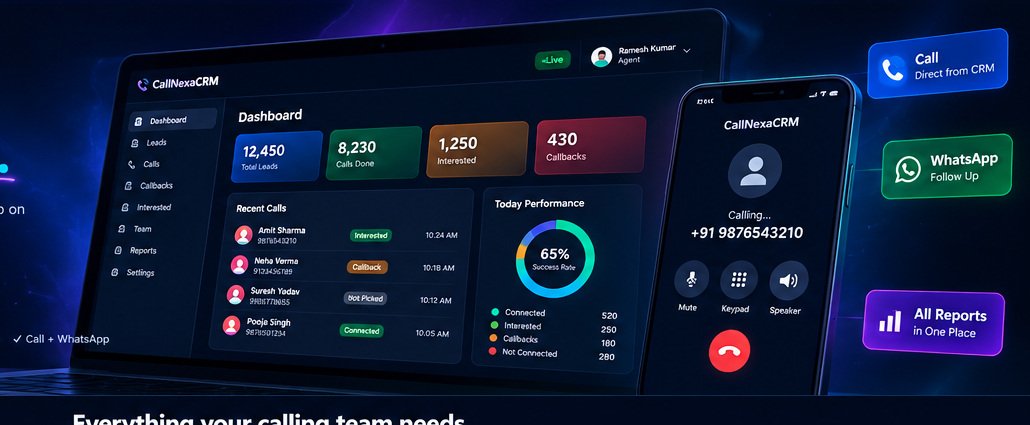
One fast CRM for lead management, calling, follow-up, teams and reports.
Start making calls and organizing your business in minutes.
Use your authorized CRM account securely.
Add Team Leaders and Agents.
Import Excel / CSV or add manually.
Call, save results and follow up.
Switch between Admin, Team Leader, Agent and WhatsApp workflows in a safe, interactive sample.
This is an illustrative product walkthrough, not a live customer account. WhatsApp chats shown here are sample messages.
Admin works on desktop or mobile. Agent and Team Leader get fast app-like mobile panels.
Create Team Leaders and Agents, import leads, set auto-allocation, view live tracking, attendance, reports and notifications.
See practical calling and follow-up workflows for your industry.
Property enquiries, site visit callbacks and sales follow-ups.
Explore solution →Course enquiries, counsellor calling and admissions tracking.
Explore solution →Policy enquiry queues, call dispositions and scheduled follow-ups.
Explore solution →Candidate calls, availability notes and interview callbacks.
Explore solution →Enquiry response, order follow-up and repeat outreach.
Explore solution →Adjust your team's assumptions to estimate the value of time saved through a more organised workflow.
Formula: monthly leads × estimated minutes saved ÷ 60 × hourly cost. This is not a performance guarantee or ROI claim. CRM subscription costs are not deducted.
Start small and scale as your team grows.
Watch the product tour — dashboard, Team Leader workflow, Agent mobile panel, call feedback and WhatsApp follow-up.
Planned enhancements can be added without changing the core calling workflow.
Optional advanced call automation for supported telephony providers.
Future notes and summary assistance for supported calling workflows.
Expanded language options across the platform.
More native-like mobile improvements for daily calling work.
Deeper team insights, funnels and performance reports.
Role-based access, session controls and account separation are built into the CRM workflow.
Tell us about your calling team. Submit the form and our team can review your request.
Yes. Each role signs in with its CRM account and sees role-specific features based on access permissions.
Yes. Admins can use the CRM's lead-import workflow to bring leads into their company workspace.
WhatsApp messaging and sync depend on configured permissions and a supported provider through the supported Meta integration. Provider setup is separate from the public demo.
No. Availability depends on Android version, device, dialer and applicable permissions. Call metadata and recordings should be validated on your device.
Fill out the form above and click Submit. Your request is saved for our team to review in the CRM; this does not automatically confirm a demo time.
Start with the product demo, then sign in to explore the CRM.